Density Settings
Config key: settings.densitySettings
Setup: User Interface → Density Settings (/lightning/setup/DensitySetup/home)
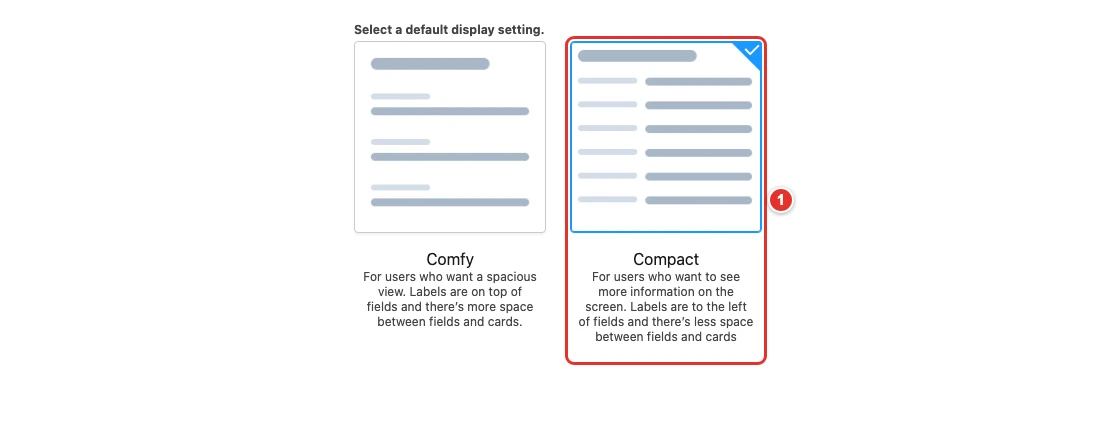
Chooses the default display density of the org: "Comfy" or "Compact".
Screenshot
| Pill | Field |
|---|---|
| 1 | density |
Use cases
Contact center agents see more records on their laptops
The agents of Pinewood Insurance answer claims on 13-inch laptops. With the default Comfy density, a case list view shows a dozen rows and the related lists of an account need several scrolls.
Choosing Compact as the default density of the org puts labels next to their values and tightens every list, so the agents see about a third more records without zooming out. Agents who prefer the airier layout can still switch back in their own settings: this config only changes the default of the org, which the Metadata API cannot set.
{
  "$schema": "https://raw.githubusercontent.com/amtrack/sfdx-browserforce-plugin/main/src/plugins/schema.json",
  "settings": {
    "densitySettings": {
      "density": "Compact"
    }
  }
}
Example
{
  "$schema": "https://raw.githubusercontent.com/amtrack/sfdx-browserforce-plugin/main/src/plugins/schema.json",
  "settings": {
    "densitySettings": {
      "density": "Comfy"
    }
  }
}
Fields
| Field | Type | Description | Values |
|---|---|---|---|
density |
string | Density Choose the default display setting for your org |
ComfyCompact |
JSON Schema
{
"type": "object",
"properties": {
"density": {
"type": "string",
"enum": [
"Comfy",
"Compact"
],
"title": "Density",
"description": "Choose the default display setting for your org"
}
},
"title": "Density Settings",
"description": "Setup: **User Interface → Density Settings** (`/lightning/setup/DensitySetup/home`)\n\nChooses the default display density of the org: \"Comfy\" or \"Compact\".\n\n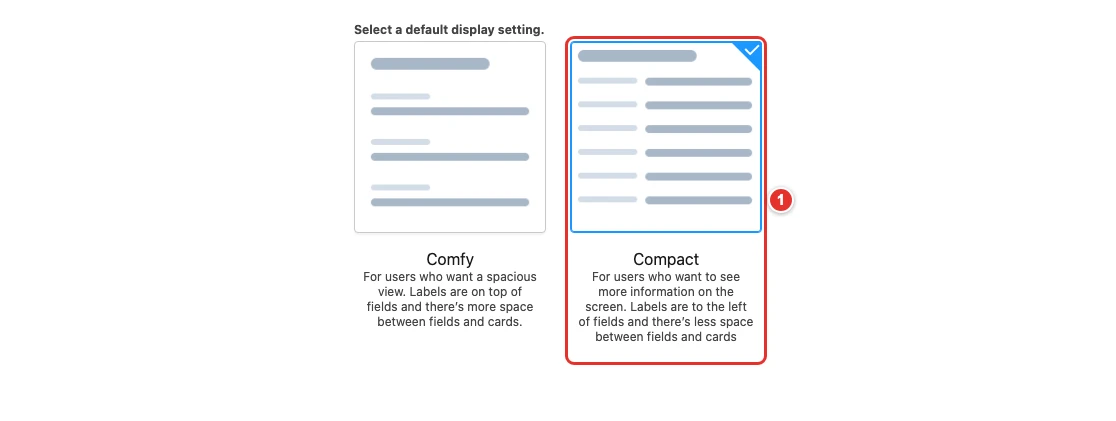",
"examples": [
{
"density": "Compact"
},
{
"density": "Comfy"
}
]
}