Hall of Fame
Gaps closed in the Metadata API
Fortunately Salesforce has closed some gaps in the Metadata API. 🎉
Where previously browser automation was needed, you can now apply the setting using your Scratch Org Definition File or a deployment. ✅
Here's a list of settings that have been removed from sfdx-browserforce-plugin, most of them in favor of the Metadata API.
When a config file still uses one of them, sf browserforce apply and sf browserforce plugins validate stop with a link to its section below.
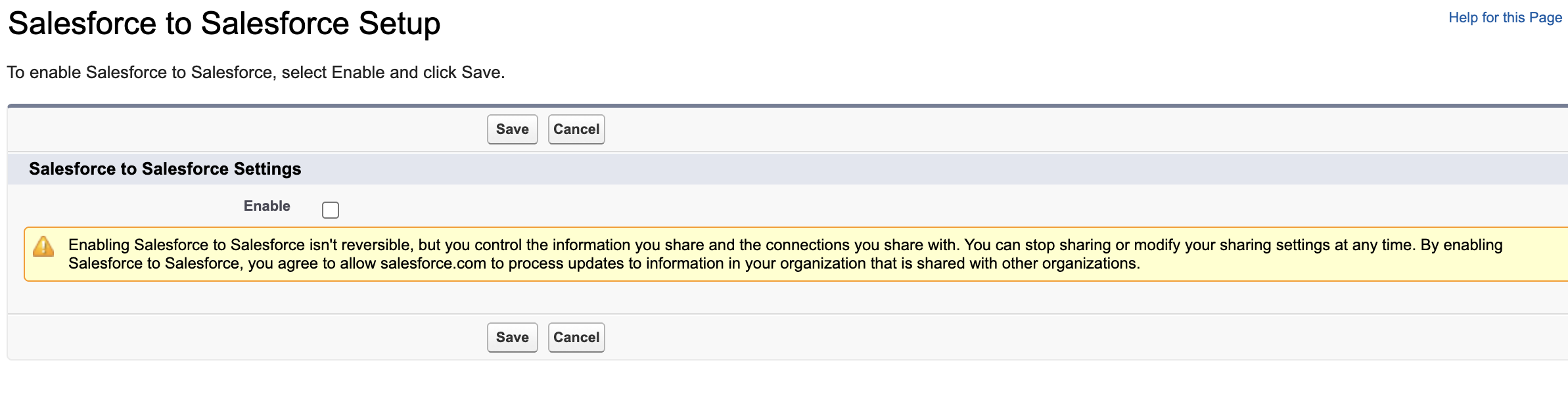
SalesforceToSalesforce
Retired by Salesforce
Unlike the other entries, this setting was not replaced by the Metadata API. Salesforce is retiring Salesforce to Salesforce entirely (full retirement in Spring '27).
- 🔗 Salesforce Setup Menu: Salesforce to Salesforce Settings (
/_ui/s2s/ui/PartnerNetworkEnable/e) - 👉 Checkbox "Enable"
- 🚀 implemented in sfdx-browserforce-plugin@0.2.0 January 2018
- ⚰️ retired by Salesforce: Salesforce-to-Salesforce Retirement (can no longer be enabled in new orgs, full retirement in Spring '27)
- ❌ removed in sfdx-browserforce-plugin@7.0.0 November 2026
Deprecated browserforce-config.json:
{
  "$schema": "https://github.com/amtrack/sfdx-browserforce-plugin/blob/v6.5.0/src/plugins/schema.json",
  "settings": {
    "salesforceToSalesforce": {
      "enabled": true
    }
  }
}
There is no direct replacement. Salesforce recommends these alternatives, depending on the use case:
- Partner Cloud: sharing and collaboration with sales partners
- Data Cloud One: unifying data across your company's Salesforce orgs
- MuleSoft Anypoint: complex integrations across Salesforce and other systems
- MuleSoft for Flow: low-code integrations built in Flow Builder (requires an add-on)
Remove the salesforceToSalesforce entry from your browserforce-config.json.
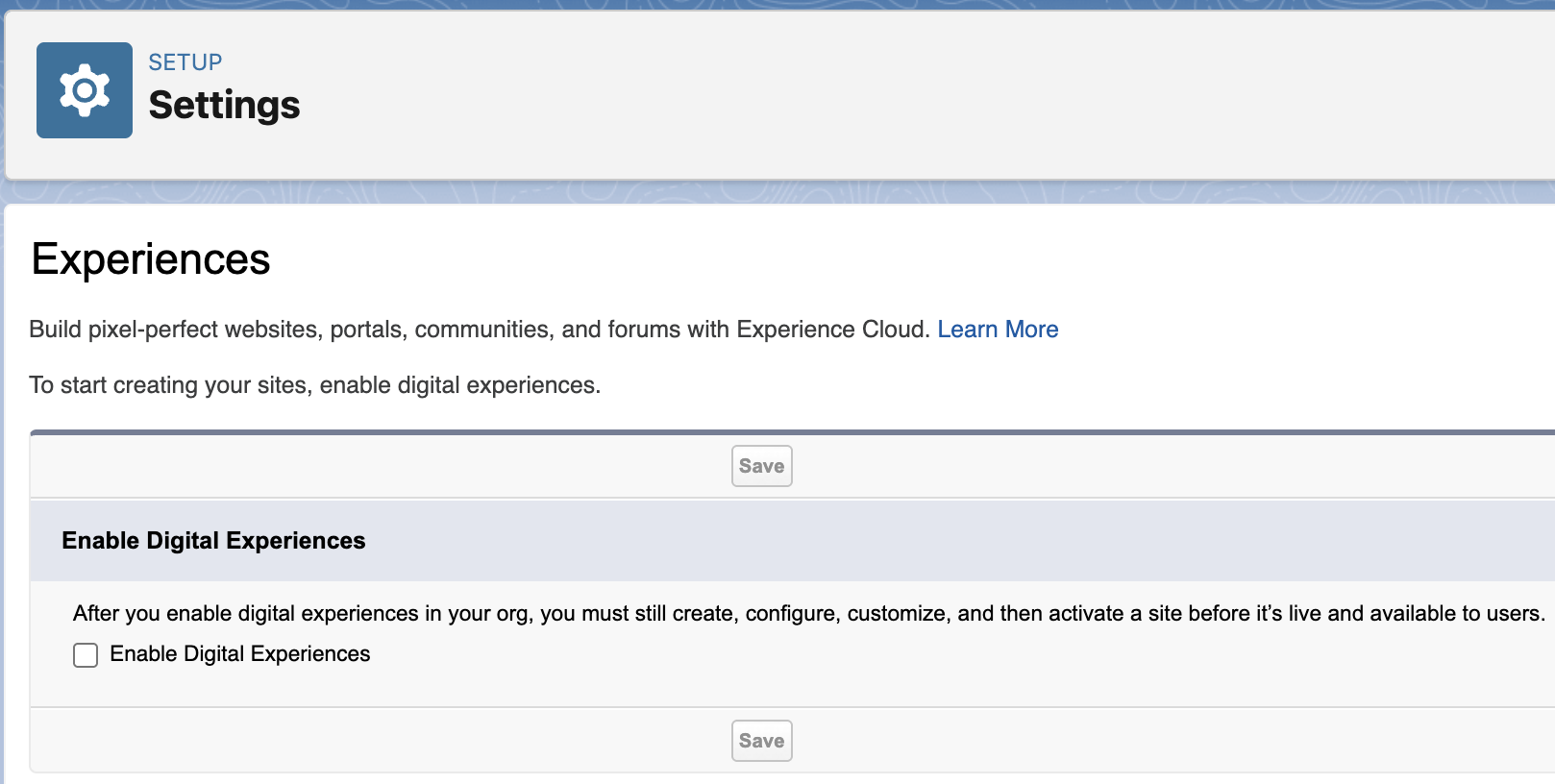
Communities
- 🔗 Salesforce Setup Menu: Feature Settings > Digital Experiences > Settings (
/lightning/setup/NetworkSettings/home) - 👉 Checkbox "Enable Digital Experiences"
- 🚀 implemented in sfdx-browserforce-plugin@1.2.0 March 2019
- ✅ supported in Metadata CommunitiesSettings
enableNetworksEnabledsince Salesforce API v47.0 (Winter '20) - ❌ removed in sfdx-browserforce-plugin@5.0.0 July 2025
Deprecated browserforce-config.json:
{
  "$schema": "https://github.com/amtrack/sfdx-browserforce-plugin/blob/v4.8.2/src/plugins/schema.json",
  "settings": {
    "communities": {
      "enabled": true
    }
  }
}
For Scratch Orgs, please use a config/project-scratch-def.json like this:
{
  "orgName": "Browserforce",
  "edition": "Developer",
  "language": "en_US",
  "features": ["Communities"],
  "settings": {
    "communitiesSettings": {
      "enableNetworksEnabled": true
    }
  }
}
For Sandbox and Production orgs, enable the setting using an explicit deployment:
sf project deploy start --source-dir unpackaged
unpackaged/settings/Communities.settings-meta.xml:
<?xml version="1.0" encoding="UTF-8"?>
<CommunitiesSettings xmlns="http://soap.sforce.com/2006/04/metadata">
    <enableNetworksEnabled>true</enableNetworksEnabled>
</CommunitiesSettings>
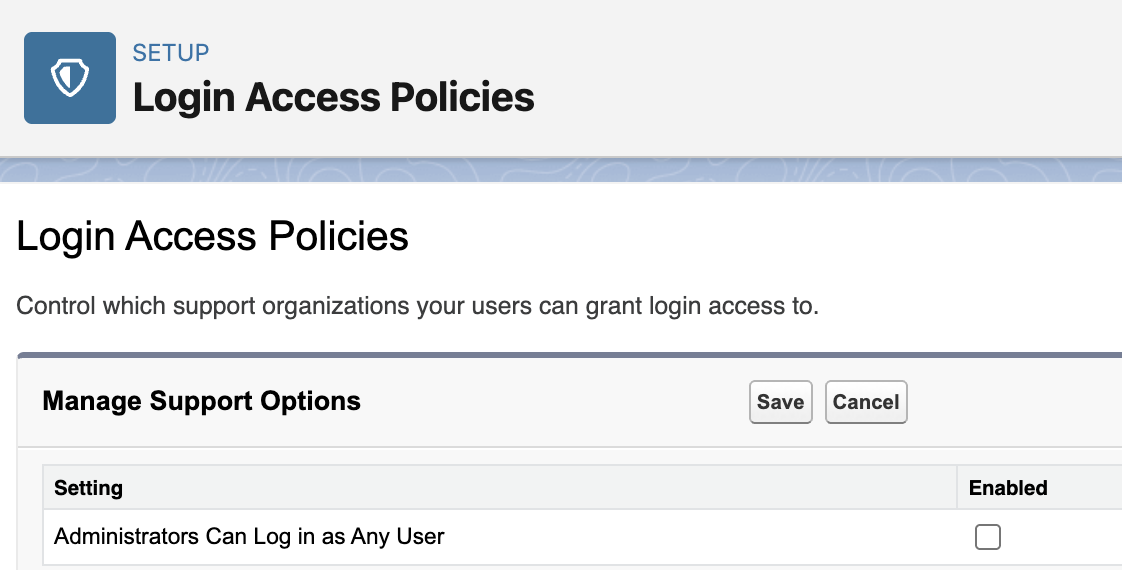
Security LoginAccessPolicies administratorsCanLogInAsAnyUser
- 🔗 Salesforce Setup Menu: Security > Login Access Policies (
/partnerbt/loginAccessPolicies.apexp) - 👉 Checkbox "Administrators Can Log in as Any User"
- 🚀 implemented in sfdx-browserforce-plugin@0.3.0 February 2018
- ✅ supported in Metadata SecuritySettings
enableAdminLoginAsAnyUsersince Salesforce API v47.0 (Winter '20) - ❌ removed in sfdx-browserforce-plugin@5.0.0 July 2025
Deprecated browserforce-config.json:
{
  "$schema": "https://github.com/amtrack/sfdx-browserforce-plugin/blob/v4.8.2/src/plugins/schema.json",
  "settings": {
    "security": {
      "loginAccessPolicies": {
        "administratorsCanLogInAsAnyUser": true
      }
    }
  }
}
For Scratch Orgs, please use a config/project-scratch-def.json like this:
{
  "orgName": "Browserforce",
  "edition": "Developer",
  "language": "en_US",
  "features": [],
  "settings": {
    "securitySettings": {
      "enableAdminLoginAsAnyUser": true
    }
  }
}
For Sandbox and Production orgs, enable the setting using an explicit deployment:
sf project deploy start --source-dir unpackaged
unpackaged/settings/Security.settings-meta.xml:
<?xml version="1.0" encoding="UTF-8"?>
<SecuritySettings xmlns="http://soap.sforce.com/2006/04/metadata">
    <enableAdminLoginAsAnyUser>true</enableAdminLoginAsAnyUser>
</SecuritySettings>
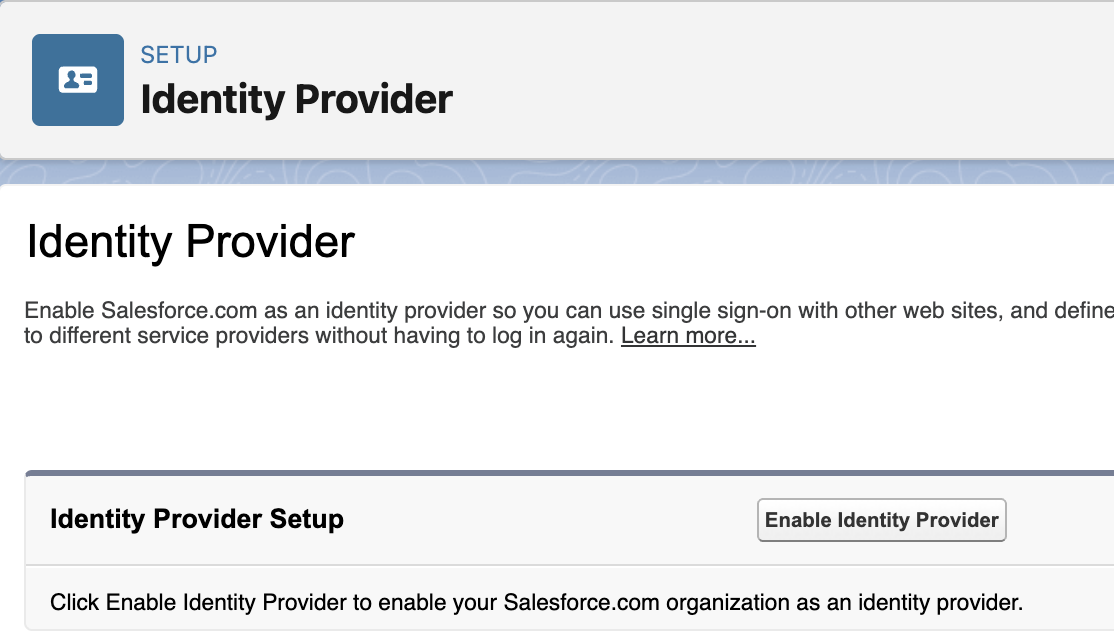
Security IdentityProvider
- 🔗 Salesforce Setup Menu: Identity > Identity Provider (
/lightning/setup/IdpPage/home) - 👉 Enable/Disable Identity Provider
- 🚀 implemented in sfdx-browserforce-plugin@1.0.0 November 2018
- ✅ supported in Metadata IdentityProviderSettings
enableIdentityProvidersince Salesforce API v57.0 (Spring '23) - ❌ removed in sfdx-browserforce-plugin@5.0.0 July 2025
Deprecated browserforce-config.json:
{
  "$schema": "https://github.com/amtrack/sfdx-browserforce-plugin/blob/v4.8.2/src/plugins/schema.json",
  "settings": {
    "security": {
      "identityProvider": {
        "enabled": true,
        "certificate": "SelfSignedCert"
      }
    }
  }
}
Deploy a Certificate and the IdentityProviderSettings:
$ tree unpackaged
unpackaged
├── certs
│   ├── identity_provider.crt
│   └── identity_provider.crt-meta.xml
└── settings
    └── IdentityProvider.settings-meta.xml

3 directories, 3 files
sf project deploy start --source-dir unpackaged
unpackaged/settings/IdentityProvider.settings-meta.xml:
<?xml version="1.0" encoding="UTF-8"?>
<IdentityProviderSettings xmlns="http://soap.sforce.com/2006/04/metadata">
    <certificateName>identity_provider</certificateName>
    <enableIdentityProvider>true</enableIdentityProvider>
</IdentityProviderSettings>
unpackaged/certs/identity_provider.crt-meta.xml:
<?xml version="1.0" encoding="UTF-8"?>
<Certificate xmlns="http://soap.sforce.com/2006/04/metadata">
    <caSigned>false</caSigned>
    <encryptedWithPlatformEncryption>false</encryptedWithPlatformEncryption>
    <keySize>2048</keySize>
    <masterLabel>identity_provider</masterLabel>
    <privateKeyExportable>true</privateKeyExportable>
</Certificate>
Security Sharing
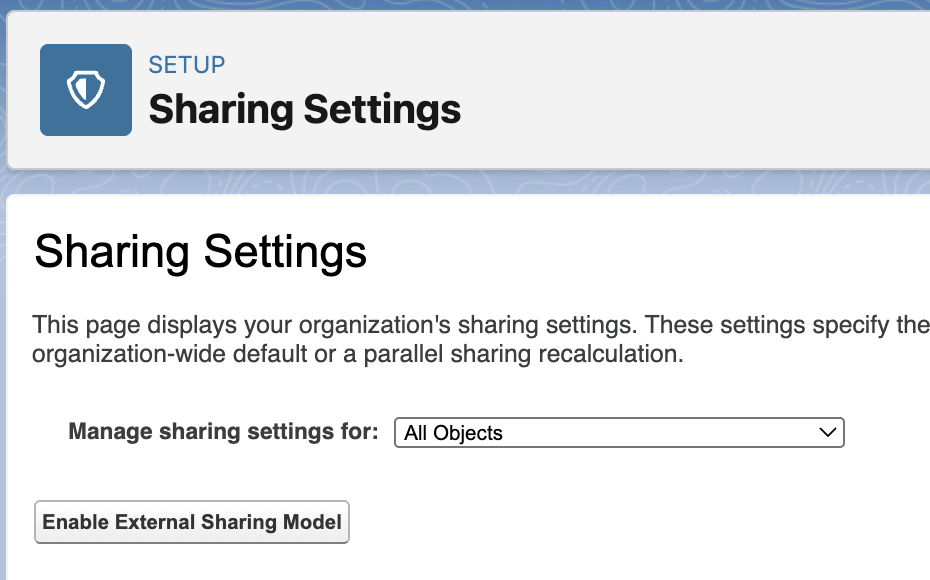
- 🔗 Salesforce Setup Menu: Security > Sharing Settings (
/lightning/setup/SecuritySharing/home) - 👉 Button "Enable External Sharing Model" / "Disable External Sharing Model"
- 🚀 implemented in sfdx-browserforce-plugin@0.1.0 February 2018
- ✅ supported in Metadata SharingSettings
enableExternalSharingModelsince Salesforce API v47.0 (Winter '20) - ❌ removed in sfdx-browserforce-plugin@5.0.0 July 2025
Deprecated browserforce-config.json:
{
  "$schema": "https://github.com/amtrack/sfdx-browserforce-plugin/blob/v4.8.2/src/plugins/schema.json",
  "settings": {
    "security": {
      "sharing": {
        "enableExternalSharingModel": true
      }
    }
  }
}
For Scratch Orgs, please use a config/project-scratch-def.json like this:
{
  "orgName": "Browserforce",
  "edition": "Developer",
  "language": "en_US",
  "features": [],
  "settings": {
    "sharingSettings": {
      "enableExternalSharingModel": true
    }
  }
}
For Sandbox and Production orgs, enable the setting using an explicit deployment:
sf project deploy start --source-dir unpackaged
unpackaged/settings/Sharing.settings-meta.xml:
<?xml version="1.0" encoding="UTF-8"?>
<SharingSettings xmlns="http://soap.sforce.com/2006/04/metadata">
    <enableExternalSharingModel>true</enableExternalSharingModel>
</SharingSettings>
DeferSharingCalculation
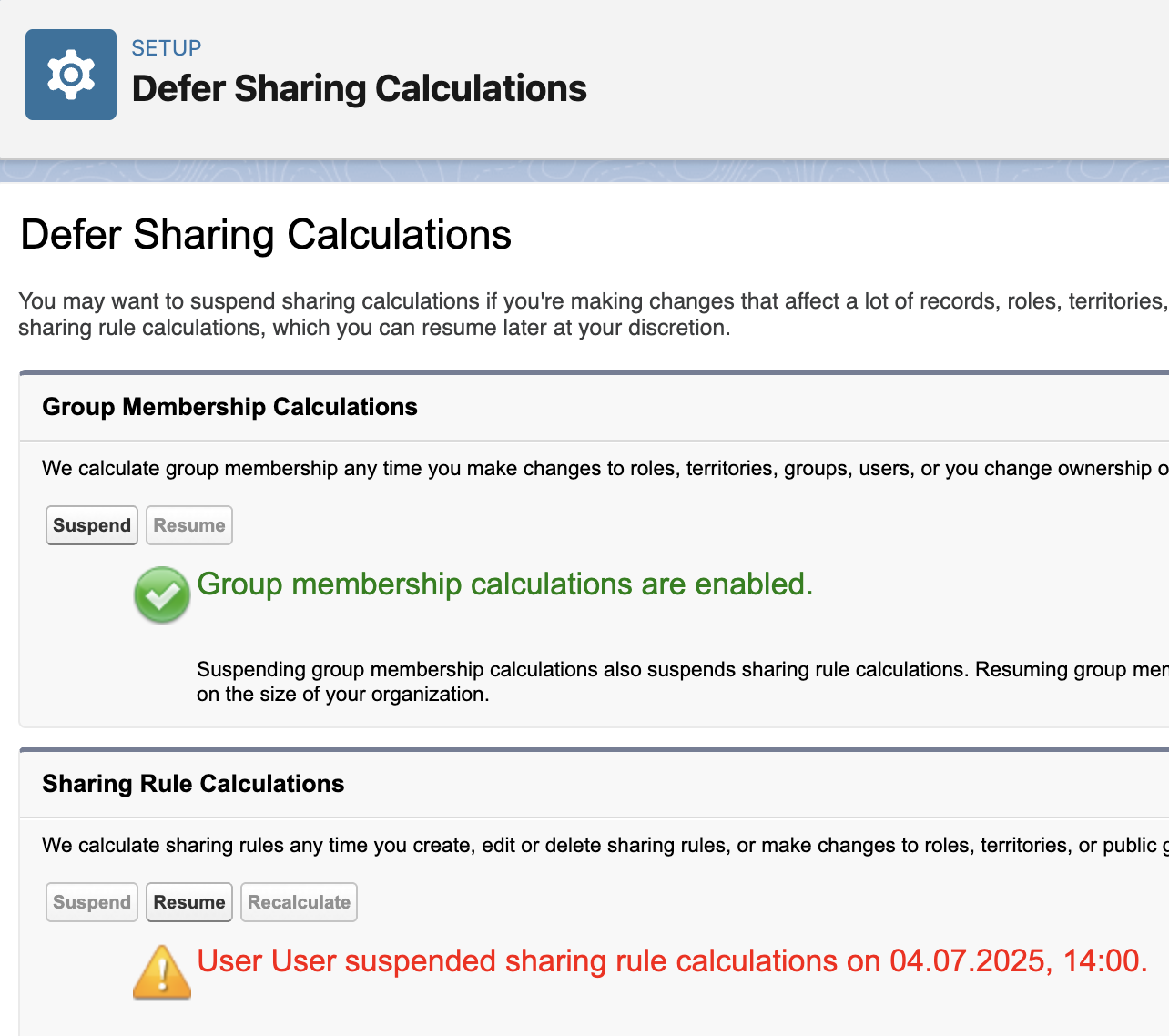
- 🔗 Salesforce Setup Menu: Security > Defer Sharing Calculations (
/lightning/setup/DeferSharingCalculations/home) - 👉 Button "Suspend" / "Resume"
- 🚀 implemented in sfdx-browserforce-plugin@1.7.0 June 2020
- ✅ supported in Metadata SharingSettings
deferSharingRulessince Salesforce API v49.0 (Summer '20) - ❌ removed in sfdx-browserforce-plugin@5.0.0 July 2025
Deprecated browserforce-config.json:
{
  "$schema": "https://github.com/amtrack/sfdx-browserforce-plugin/blob/v4.8.2/src/plugins/schema.json",
  "settings": {
    "deferSharingCalculation": {
      "suspend": true
    }
  }
}
For Scratch Orgs, please use a config/project-scratch-def.json like this:
{
  "orgName": "Browserforce",
  "edition": "Developer",
  "language": "en_US",
  "features": ["DeferSharingCalc"],
  "settings": {
    "sharingSettings": {
      "deferSharingRules": true
    }
  }
}
For Sandbox and Production orgs, enable the setting using an explicit deployment:
sf project deploy start --source-dir unpackaged/permissionsets
sf org assign permset -n Defer_Sharing
sf project deploy start --source-dir unpackaged/settings
unpackaged/permissionsets/Defer_Sharing.permissionset-meta.xml:
<?xml version="1.0" encoding="UTF-8"?>
<PermissionSet xmlns="http://soap.sforce.com/2006/04/metadata">
    <hasActivationRequired>false</hasActivationRequired>
    <label>Defer Sharing</label>
    <userPermissions>
        <enabled>true</enabled>
        <name>AssignPermissionSets</name>
    </userPermissions>
    <userPermissions>
        <enabled>true</enabled>
        <name>DeferSharingCalculations</name>
    </userPermissions>
    <userPermissions>
        <enabled>true</enabled>
        <name>DelegatedTwoFactor</name>
    </userPermissions>
    <userPermissions>
        <enabled>true</enabled>
        <name>FreezeUsers</name>
    </userPermissions>
    <userPermissions>
        <enabled>true</enabled>
        <name>ManageInternalUsers</name>
    </userPermissions>
    <userPermissions>
        <enabled>true</enabled>
        <name>ManageIpAddresses</name>
    </userPermissions>
    <userPermissions>
        <enabled>true</enabled>
        <name>ManageLoginAccessPolicies</name>
    </userPermissions>
    <userPermissions>
        <enabled>true</enabled>
        <name>ManagePasswordPolicies</name>
    </userPermissions>
    <userPermissions>
        <enabled>true</enabled>
        <name>ManageProfilesPermissionsets</name>
    </userPermissions>
    <userPermissions>
        <enabled>true</enabled>
        <name>ManageRoles</name>
    </userPermissions>
    <userPermissions>
        <enabled>true</enabled>
        <name>ManageSharing</name>
    </userPermissions>
    <userPermissions>
        <enabled>true</enabled>
        <name>ManageUsers</name>
    </userPermissions>
    <userPermissions>
        <enabled>true</enabled>
        <name>MonitorLoginHistory</name>
    </userPermissions>
    <userPermissions>
        <enabled>true</enabled>
        <name>ResetPasswords</name>
    </userPermissions>
    <userPermissions>
        <enabled>true</enabled>
        <name>ViewAllUsers</name>
    </userPermissions>
    <userPermissions>
        <enabled>true</enabled>
        <name>ViewRoles</name>
    </userPermissions>
    <userPermissions>
        <enabled>true</enabled>
        <name>ViewSetup</name>
    </userPermissions>
</PermissionSet>
unpackaged/settings/Sharing.settings-meta.xml:
<?xml version="1.0" encoding="UTF-8"?>
<SharingSettings xmlns="http://soap.sforce.com/2006/04/metadata">
    <deferSharingRules>true</deferSharingRules>
</SharingSettings>