sfdx-browserforce-plugin
sf plugin to apply settings in the Salesforce Setup Menu using browser automation








Note: Since v6 we're using Playwright instead of Puppeteer. Please see the release notes for migration instructions.
✅ Most settings in the Salesforce Setup Menu are represented as Settings in the Metadata API.
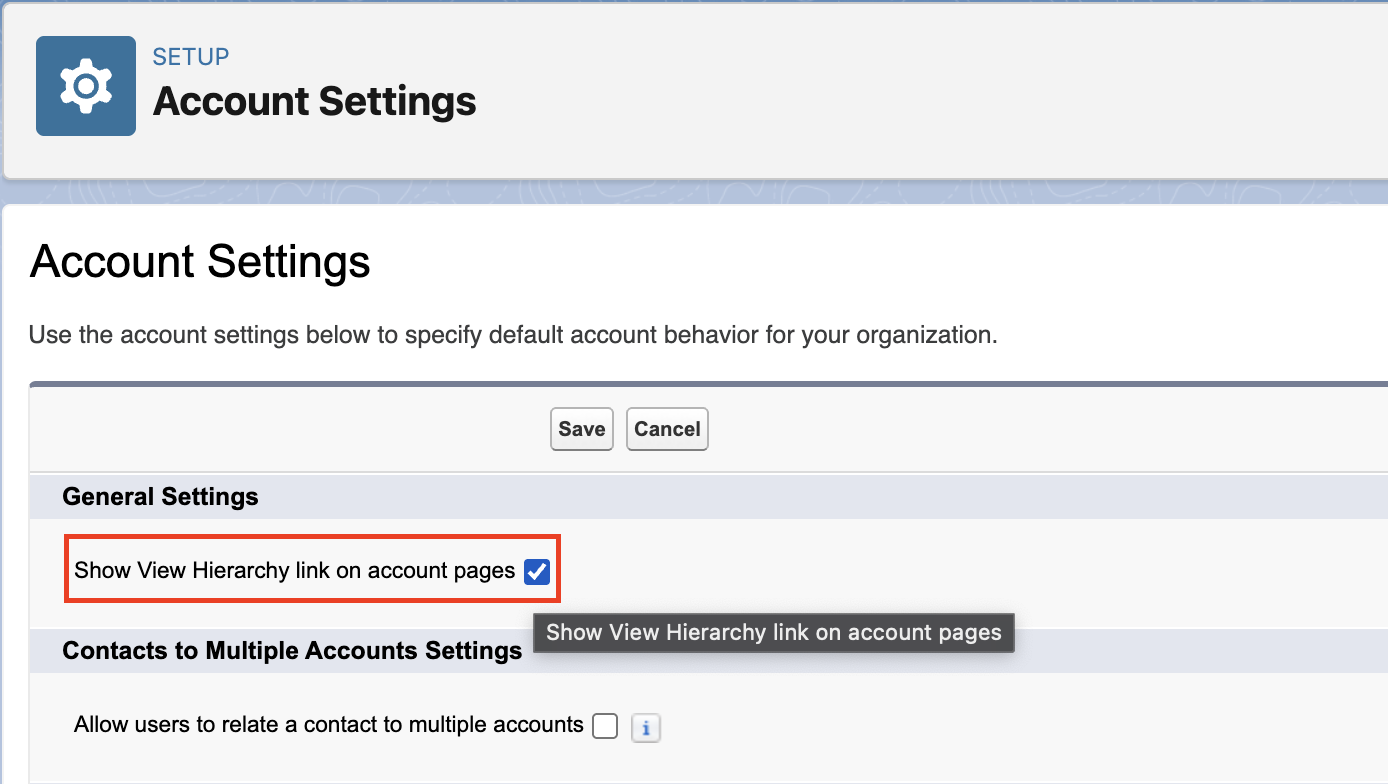
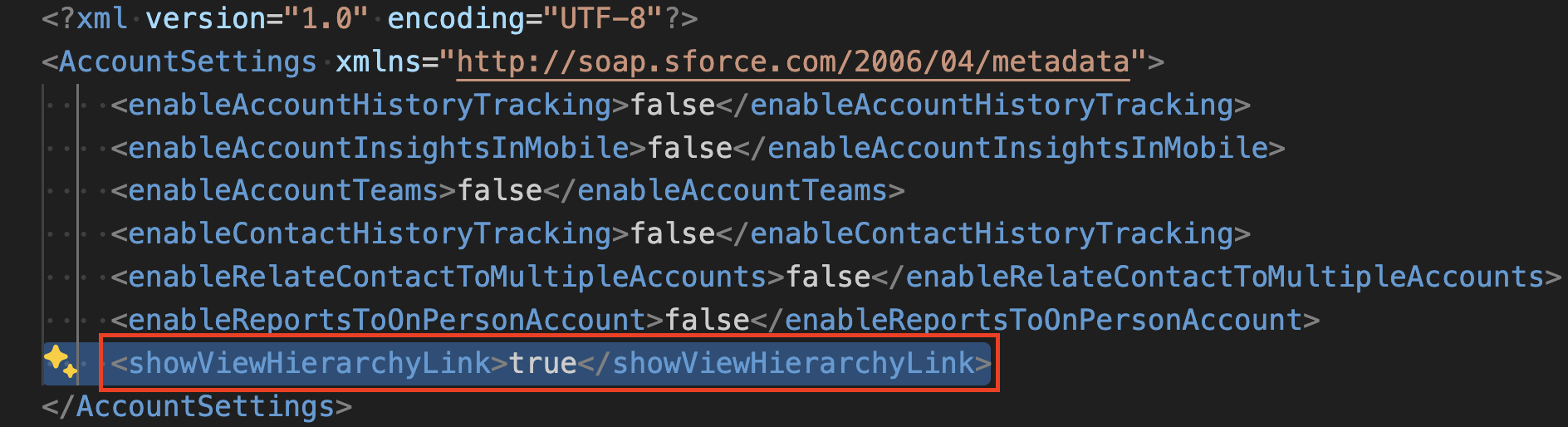
For example, the highlighted checkbox "Show View Hierarchy link on account pages" in Account Settings is indeed represented in the Metadata AccountSettings as showViewHierarchyLink.
 |
 |
⚡ BUT
Not all feature settings are available in the Metadata API. See Unsupported Metadata Types for information on which feature settings are not available.
For example, the Currency Locale in Setup -> Company Settings -> Company Information is not represented in any Metadata.
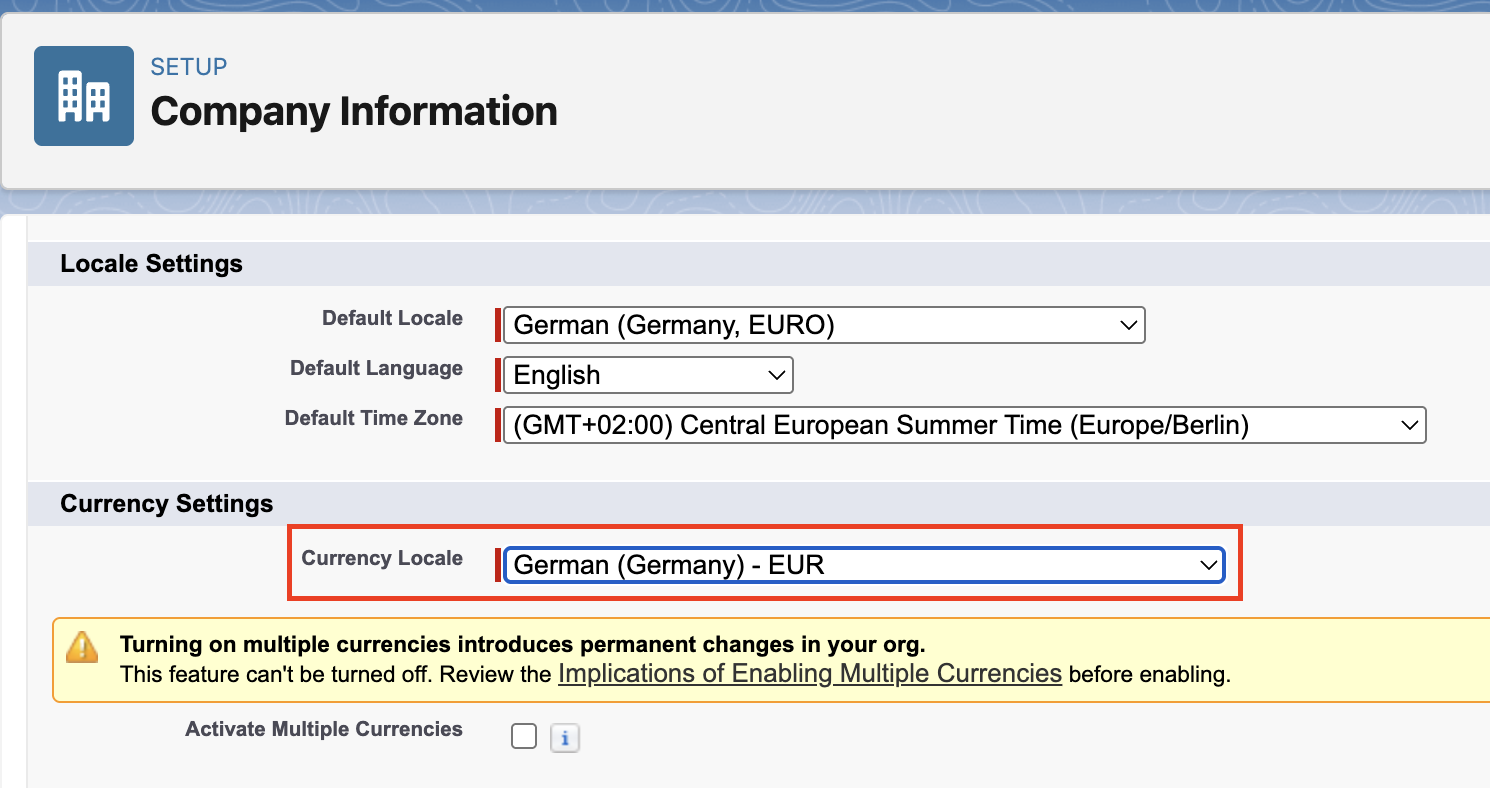
👉 This is where Browserforce (sfdx-browserforce-plugin) comes to the rescue. It fills this gap by applying these unsupported settings through browser automation!
Example
To change the Currency Locale, the Browserforce config file (here: ./config/currency.json) looks like this:
{
  "$schema": "https://raw.githubusercontent.com/amtrack/sfdx-browserforce-plugin/main/src/plugins/schema.json",
  "settings": {
    "companyInformation": {
      "defaultCurrencyIsoCode": "English (South Africa) - ZAR"
    }
  }
}
Apply the config:
$ sf browserforce apply -f ./config/currency.json --target-org myOrg@example.com
  logging in... done
  Applying config file ./config/currency.json to org myOrg@example.com
  [CompanyInformation] retrieving state... done
  [CompanyInformation] changing 'defaultCurrencyIsoCode' to '"English (South Africa) - ZAR"'... done
  logging out... done
Apply the config again: 👉 No action necessary
$ sf browserforce apply -f ./config/currency.json --target-org myOrg@example.com
  logging in... done
  Applying config file ./config/currency.json to org myOrg@example.com
  [CompanyInformation] retrieving state... done
  [CompanyInformation] no action necessary
  logging out... done
Supported Browserforce Settings
Top settings:
- Change Currency Locale
- Delete inactive record types
- Replace (and delete) picklist values
- Manage (create/modify/delete) Field Dependencies on CustomFields
- Set Email Deliverability Access Level to "No access", "System email only" and "All email"
- Enable the 'Sales Cloud for Slack' Slack App
- Change active Lightning Theme
- Import certificates from a keystore in Java Keystore (JKS) format
But there's more:
- Please see the Settings reference of the documentation, with screenshots and examples for each setting.
- Explore the JSON schema powered configuration using a full-blown example or start with an empty configuration.
Learn more
- Installation: install the plugin and a browser.
- Configuration: config files, environment variables, validation without an org.
- Settings: every setting Browserforce can apply, with examples.
- Commands: the flags of each command.
- Troubleshooting: watch or record what the browser does.
- llms.txt: every page of this documentation with a one-line description, for a coding agent to read.